

When I initially discussed GrandCentral, I was given a special conditional call forwading code which enabled my phone to send voicemail messages directly into GrandCentral as opposed to my carrier. This is great for people managing a lot of numbers and as it was pre-iPhone, at the time offered a way to get something like Apple’s soon to launch Visual Voicemail.
I am a few devices later now, and have been craving the Grandcentral voicemail features again and decided to set it up for myself this time (thanks to Phoneboy for the search suggestion).
With a simple code, you can initiate conditional call forwarding on your GSM phone and choose where to send calls….
Dial: *61*yournumber# and hit send. I’ve entered my GrandCentral number as my number, but really you can do this for any number you want. Dialing ##61# and send should return things the way they were if you prefer.
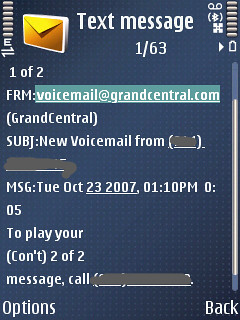
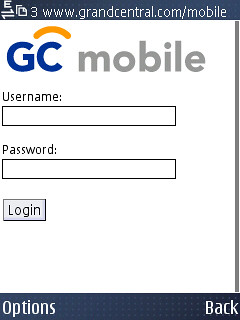
From here it’s a matter of choosing how you’d like to use GrandCentral… The simplest way is to just call your own number when you want to retrieve a message – which is suggested in the alert txt. If you’d like access to a more visual style you need to fire up your browser and check out the m.grandcentral.com site.
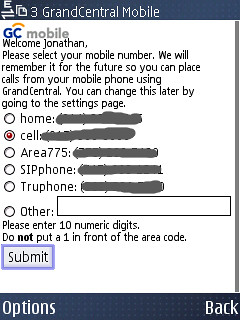
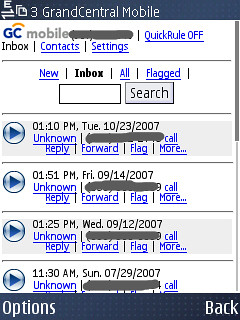
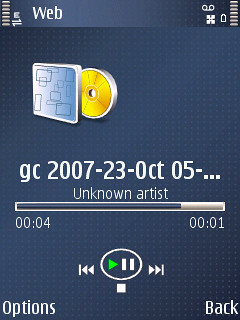
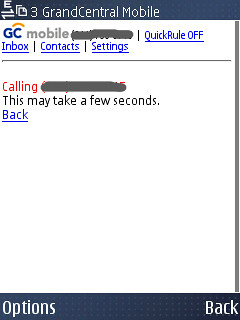
As you can see from the N95 screenshots below, GrandCentral offers a pretty robust way to manage voicemail. You can see who’s left new messages, review a historical listing, listen and easily call people back — using your GrandCentral number as the outbound CallerID.
As an added bonus to me, I no longer get the encoded double txt alerts from ATT’s Visual Voicemail system.
rats…I tried this on my t-mobile powered N95 and I get “Not allowed”. I guess t-mobile doesn’t allow this?
Jonathan,
It looks like that you can make calls using Grand Central via your mobile and your GC # will be shown in the caller ID. Is that correct or am I just wishing for what’s not there yet?
Jeb
By the way, great coverage of the N810.
@jason no idea why they would block it … bummer.
@jeb – you are correct CallerID is your GC number and this is a major benefit of using the m.grandcentral site on the go.
Awesome tip. I was just successful doing this with my AT&T iPhone, and another T-Mobile phone I have.
@mattom glad to share! Wonder why your TMO phone worked and @Jason’s did not.
I’m on a flexpay t-mobile account. I wonder if that has anything to do with it. I have no idea why it would.
Very cool info Jonathan, thanks! Do you find checking your voicemail to be a PIA this way though? I mean, I like holding the 1 key and hearing my voicemails being played 5 seconds later…
@Zach replace your programmed voicemail number in the 1 slot with your grandcentral number. Problem solved. That’s how I do it 99% of the time… but with the m web version you can do dial-backs and find the numbers and contacts historically which is a bonus.
@jason It’s because you’re on a prepaid T-Mobile account. They block those GSM codes on prepaid accounts for some reason. I had to call customer care in order to get the # of rings adjusted on my wife’s account for that very reason (this is also a GSM hash code).
i know it’s off topic but i think your site’s banner images are just great. are they your own photographs?
Yes they are – thanks! I cropped them in Pixelmator, but the full shots are up on my flickr account if you want to browse… http://www.flickr.com/photos/atmasphere/
Hi, great tip since I just got a GC account and have t-mobile for my cell. Will T-Mobile charge me for the call forwarding? I am *not* on a pre-paid account if it makes a difference…
the charges should be minimal … and would only be against your minutes to connect the call to GC. Don’t quote me on that, but I believe that’s how it works.
I don’t think I get this tip… Why would your cell phone be getting any calls if you are using the number given to you by GrandCentral? I guess you would need this if people were still calling your cell number directly and you wanted the voicemail to go into GrandCentral.
By the way, I have a couple of invites if anyone wants some.
@Chris – If you connect your grand central to your cell, people can call your GC number and your cell with ring … as well as any of your other numbers. The idea here is that you can use GC to aggregate all your voicemail…
Hi Jonathan,
Thanks for this post. I guess I’m missing something. I saw your response to Jeb’s question about making the caller id show up as your GrandCentral # when you make calls from your mobile phone. I haven’t been able to make this work. Can you elaborate on how to do this?
@Brian – If you call from the GrandCentral web UI, you can choose which of your numbers gets called to then initiate your call out and regardless of which line you pick, the recipient sees your GrandCentral number.
I was wondering if this works with the Alltel prepaid number, alltel lets you pick one favorite number, can you put your GC number as your favorite number and get all incoming calls for free, even if it is prepaid? sounds too good to be true becuase alltel lets u get a favorite number for 75 cents a day.
No idea … worth a shot!
>>>READ<<<
This works great with Alltel Prepaid. Get the favorite number plan and put your GC number as the favorite number. I did it and it WORKS!! I currently pay about 20 dollars a month for UNLIMITED EVERYTHING. The GC service is great too. You can do a lot of great things with it. You can also get the Alltel Prepaid cards online for cheaper. So you really get unlimited everything, text and talk for less then 20 a month. It’s GREAT!