Google Reader Mobile adds Settings

Screenshot0066

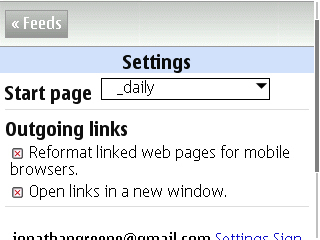
I’m not sure when this kicked in, but you can now adjust a few key pieces in Google Reader Mobile. I use the iPhone edition which works great on the S60 and Nokia Tablet browsers and have been reading through all my feeds, rather than starting in one of my folders (as seen above). With a few clicks, you can now set which folder to start browsing and adjust whether links open in new windows (yes please) and whether the Google Mobile Proxy handles things to manage the page load. I’m still experimenting with the mobile proxy … I go back and forth preferring the full sites most times, but find that for quickly following up on something it’s hard to beat the smaller page.

Technorati Tags: , , ,

Windows makes mobile networking hard!

I’m sure this is not news to anyone who’s a long time mobile worker, but man does Windows make mobile connectivity a complete pain in the ass! When I try to use either DUN or Joikuspot (wifi) to connect with my phones I am forced to reconnect or repair the connected repeatedly during the course of an attempted session. Why does windows even have repair as an option?!

On my Mac it literally just works. If there’s a connection glitch because of low signal from the mobile, I can just simply reconnect. There’s no need to repair because there’s nothing actually wrong with the connection.

With the Nokia Tablet it also just works. I can use either wifi or DUN to get online and as I’ve blogged many times before I do this daily in both directions on my commute. Today I decided to use my work laptop, something I do much less frequently and am just amazed at how poorly Windows plays here.

I’ve had issues on various hotel and client site wireless networks as well so I know it’s not just the mobile connectivity thing I’m trying now … At least with joikuspot I can reconnect, when I’ve used DUN, the connection seems to get stuck when it needs to reconnect. Nothing like spending more time trying to connect than actually being online.

Technorati Tags: , , , , ,

Ralph Lauren Mobile – live but needs a lot of work!

As noted earlier this week, Ralph Lauren has started to launch a mobile marketing campaign and site.

Ralph Lauren Mobile - RL-QR

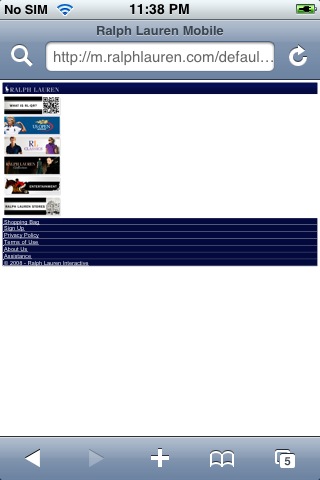
Unfortunately my experience with the site is still not good. In theory, RL wants to push a mobile lifestyle site with content and shopping. In experience, this you get:

RL Mobile

.

I have a similar screenshot for the Quicktime file as well. Neither will also play on the iPhone (I only expected the Quicktime to work but tested both). As you can see the site is also poorly optimized for various screens:

The best looking of the bunch is the Intro / About page:
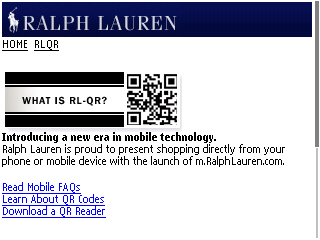
08/14/2008

The main navigation could be much better if the images expanded based on browser detection:

08/14/2008

photo(3)

There are also way too many clicks to do most things with reliance on the back button or a click on the home link which forces you to re-load the main page rather than presenting a simplified navigation in the footer to let someone just get to another section of the site with minimal fuss. To begin shopping I had to select RL Classics, then the RL Classics Shop, then choose a selection of options from either Men or Women (which could have easily been a level higher). Once I choose Polos I was presented with this:
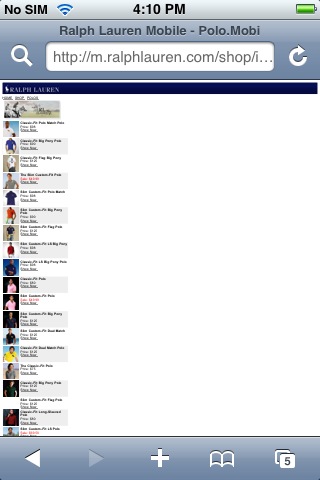
photo(5)

I thought the iPhone would be an easy fit for RL Mobile as they are both essentially luxury goods, but the sheer lack of attention to details like auto-fitting the page makes browsing and shopping quite tedious. I honestly just expected the iPhone to work well given all the attention and likely overlap with the RL target audience …

I did like that (as you would also expect) you can choose colors appropriately for shirts and then was pleasantly surprised to see the photo change and the model wearing the color shirt I’d just selected. The close-up pictures of the color swatches make it easy to see what you’re getting as well. Why do I have to keep zooming each page though to make this work! every click and subsequent page load requires this adjustment!!
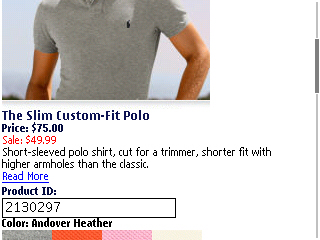

08/14/2008

08/14/2008

08/14/2008

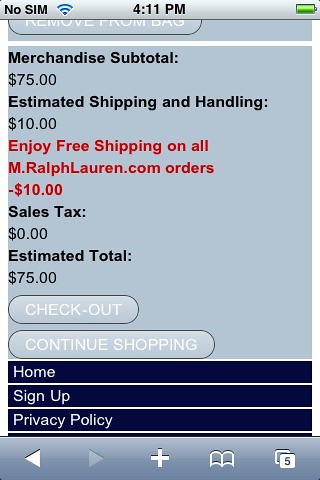
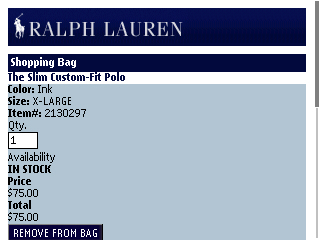
The only section of the site which is optimized is the shopping cart, though that is handled by Usablenet directly. I’m not sure why the rest of site can’t be as optimized in the same way as these pages and unfortunately I can’t see too many people making it this far.
photo(6)

08/14/2008

I can’t imagine too many people wanting to spend time here with the experience I’ve just had. Sorry, but that’s my honest opinion. It’s not fun or informative. The multimedia features are seem like they are broken, yet work fine on the desktop side and there are far too many page loads with too little payoff.

Unfortunately with mobile, you need strong content and design to maintain someone’s attention in such a small space.I’d like to see this succeed actually as mobile should really be a strong consideration for a brand. The RL Mobile experience seems like it has good intentions but a very poor execution.

Technorati Tags: , , , ,

Nokia Chat Updated

Nokia Chat

Nokia Chat was updated today and I installed the latest version while walking to the office. Both the Service support and Applications files are new so be sure to update both. If you are looking to do this directly from your device, you can use the mobile link.

I honestly can’t tell if there’s anything new here other than some bug fixes. The N78 has not been added to the compatibility list yet, so no FP2 just yet…

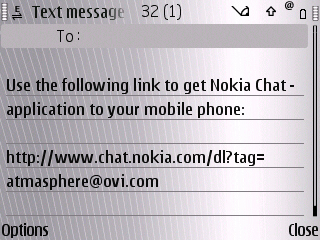
Update – I can’t recall seeing this previously … Seems perhaps Send to a Friend was added in this version – or I just missed it last time. Makes sense either way.

Nokia Chat - Send to a Friend

Technorati Tags: , , ,

Mobile Multitasking

I know this is not the mainstream pattern by any stretch but just a sample of how I tend to use mobile technology.

On my walk to the train tonight I fired up Sportstracker and captured my speed and distance, while listening to some tunes over A2DP which logged up to Last.fm via Mobbler. I maintained an active chat with my friend Serko via Nokia Chat and also cleared a few emails. I even stopped into Jaiku to reply to a thread. Serko was able to see my status live update as I passed through Bryant Park (love the Location broadcasting) in Nokia Chat.

This morning I had a pretty similar walk to the office though instead of chat, I snapped a few pics which synced to my walking map in Sportstracker.

Now on the Train home, I’ve added the Nokia N810 on which I am typing this post … Music, chat and email all rocking.

The E71 is my current workhorse of a mobile and it easily handles the multitude of simultaneous requests I make. Devices like the iPhone restrict multitasking because only email and music work when not serving as the active applications. I realize my uses are not the usual case but how long with the growing base of power iPhone users stand to be limited. Background notices are not solving the challenges the power user will need to have resolved. The mobile experience has evolved into far more than a simple communications platform. We are computing, creating, collaborating as well.

Technorati Tags: , , , , ,

E71 Recommended Accessory – JAVOedge Stereo Adapter

One considerable annoyance of the E71 is the 2.5mm headset connection which makes using your high end headphones impossible… at least without an adapter.

I had an adapter from a few years ago when I ran into a similar situation with the Treo. That adapter unfortunately was only dual-mono which works fine for calls but definitely impacts the listening experience for music. A quick trip to google and then Amazon (via mobile during the commute) led me to the JAVOedge 2.5mm to 3.5mm stereo adapter. Don’t be put off by the fact that this is actually a Treo accessory… It works great on the E71!

Here are a few shots for perspective:

Amazon is selling a 2-pack for $4 plus shipping. I have one in my car and one in my bag and am definitely ready to rock.

Technorati Tags: , , , ,

Nokia Email Gets Ready for Primetime

I originally wrote this post about a month ago… The screenshots are from my N95. I’ve been using Nokia Email daily on my E71 for a few weeks and it works great in conjunction with Mail For Exchange which handles my work account.

Nokia recently invited me to test their new email application and I have been very pleased with what I see so far. While Nokia Email is clearly a beta with some rough edges, I can see that a great deal of thought has been put into this effort.

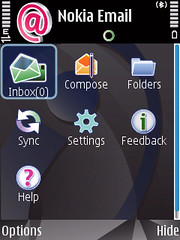
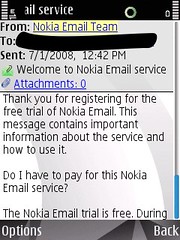
You start by configuring your account via the web site which then sends you a personalized sms. The link sent opens a download for a pre-configured new mail suite. After entering your password to confirm, the system is up and running.

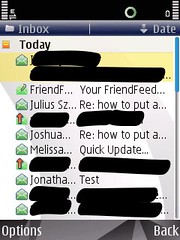
Nokia Email inbox

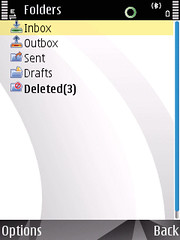
Open Message folders

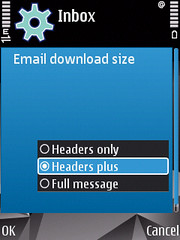
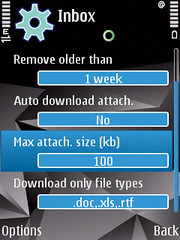
There are some settings worth noting which are definitely new if you are coming from the S60 mail client. The most important one for me that you can actually download the full message in the background – not simply the header which is how mail has worked previously. You can tweak the scheduling of when the push messaging occurs. By default, delivery is set to push all day every day. You can adjust the days and intervals if that’s too much for you … or your device’s battery.   Speaking of battery, there is a very handy option which lets you define a threshold on low power for when push should stop. I am currently going for it in this test and have mine set to stop at 5%.

Download options settings

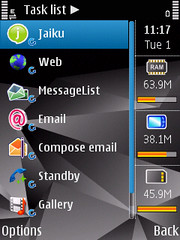
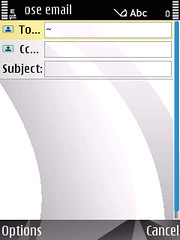
I really like that Nokia Mail is set to auto-start which means if you turn your phone off, mail will immediately resume when you turn it back on. As I mentioned Nokia Mail is not really a single application, but more of a suite of tools. The main benefit to the suite approach seems to be that each module can be open on its own much like a full mail client works on your desktop. This lets you maintain constant views into various folders and also lets you drop back to your inbox while composing a new message.

Multiple pieces running Compose

From the looks of things Nokia has actually taken their Enterprise Intellisync solution and packaged it for the consumer. Instead of requiring an installation from IT in the server room, you simply submit your existing mail credentials and the Nokia mail engine takes care of the rest. Currently this supports POP3 and IMAP accounts from the usual ISP and hosted accounts. I tried my work address which works through Mail for Exchange and after a few moments of trying to resolve the backend, was told that Nokia Mail does not yet currently support corporate messages. I signed up to be notified when it does as I believe the Nokia Mail solution represents a very strong future for messaging regardless of your class (N or E) of device.

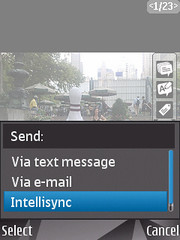
Send via intellisync

There are a couple of gotchas worth mentioning….

  • You must share your credentials with Nokia directly as their servers intermediate the mail services.
  • You can currently only set up a single account per device. In order to configure a second email address you need to either define a new account on the web or remove your current email address from the existing config. Either case requires a fresh install …
  • I do not see any advanced account settings. I use GMail as my email base, but send as my domain and in a typical mail client, I can adjust how my address appears regardless of how I connect to the server.
  • Currently the service supports S60v3 and 3.1 which means you need to have a relatively recent N or E series. The N78 runs FP2 and is not yet supported. As this seems based on Intellisync which is used on ESeries it might be a while …
  • There is not way to navigate your IMAP folders. As a result, there is also no way to subscribe to certain folders if you use server side filtering. This would have actually really bothered me a few years ago, but GMail has me pretty focused (ahem trained) on my inbox.
  • Push is still not perfect. I have seen a few stops and these do not seem to resume from a forced sync. The fix so far has been to use the “reset email folders” command found in the advanced settings. This is beta remember … A power cycle also seems to fix things.
  • I had a heck of a time getting Nokia Mail to perform an initial sync. After finally trying a proxy-less ATT connection mail started to come through. I can’t confirm whether this is ATT or the iPhone SIM yet. I will try to test with my BlackBerry T-Mobile SIM as well.

One teaser … HTML support is coming! I have yet to see it but have been told it’s coming for the full release. I’m hopeful that this will be considerably more than the attachment.html method we currently use.

If you are interested in checking this out, you can sign up for the beta as well … Please let me know what you think!

Technorati Tags: , , , ,

Boingo Mobile Updated

boingo mobile

Boingo Mobile has been updated across platforms. If you use a Nokia Handset (N or E Series), Nokia Tablet or a Windows Mobile Handset it’s worth checking out the new download.

I’m still waiting to hear back from Boingo and Nokia on the E71 bug before installing this version … Even so I find Boingo to be an indispensable travel companion. The Tablet and my laptop auto-connect when in range which is killer. You have to run the app on the Nokia handset, but that’s not an issue as I don’t leave wifi scanning on anyway.

Technorati Tags: , , , ,

HSDPA has arrived in Northern Westchester!

HSDPA at the house!!

I go away for a few days and AT&T lights up Northern Westchester!!

I have been waiting for what feels like a very long time to see 3G or 3.5G on my phone. This am, I saw it activate briefly, but I had so few bars I assumed it was the low signal notice rather than actual coverage. I’m seeing a very active fluctuation still from EDGE to HSDPA, but it’s looking very good!

Technorati Tags: , , , , ,

Ralph Lauren almost makes it mobile

08/12/2008

This ad on the back of New York Magazine caught my eye as it’s carrying a QR Code not quite the same size as the Polo logo. A quick snap and I was at the Ralph Lauren mobile site which as you can see here is not yet ready for visitors. Good effort, poor execution.

08/12/2008

Update – Just got an IM from someone working for Raplh Lauren and was told the magazine ran a bit earlier than expected. The site should be up tomorrow and will apparently be the first time a retailer has done such a substantial mobile promotion. I look forward to checking it out!

Technorati Tags:
, , ,

JoikuSpot Premium – 40% off

The Nokia Software Market just sent me a note with a 40% discount on JoikuSpot Premium and I’ve gone for it.

JoikuSpot is an awesome tethering application that greatly enhances the capabilities of your mobile devices. I’ve found it always works when DUN is giving me issues and the Premium Edition ups the ante even more.

“Premium Edition comes with VPN so you can access corporate intraweb and email. All network access protocols are supported in Premium Edition. There is no forced default landing page in Premium Edition. [Nokia Software Market]

Technorati Tags:
, , , , , ,

Enjoying the Digital Olympics

If you live in the US, the NBC Olympics site is really an excellent way to keep tabs on athletes and events. I can’t quite figure out how they determine what makes it to the site in video vs text, but the coverage has been excellent for the major events. I re-lived last night’s amazing 400 Free Relay this morning and plan to watch quite a few more events this way as the week progresses.

If you are on the go, Mippin, has created an excellent mobile aggregator of all the Olympic information. It’s really a great showcase of what they do and delivers a very useful tool for the Olympics as well.

Technorati Tags: , , ,

Sometimes bad things happen from good intentions

I’ve been using Boingo for a while now and have successfully traveled across the country and most recently to Toronto. Boingo has enabled easy connectivity from Airports, Coffee Shops and hotels on my laptop, phones and Nokia Tablet. There have been occassional glitches in connecting but I’ve found that one of the devices I’m carrying has always been able to connect without issue.

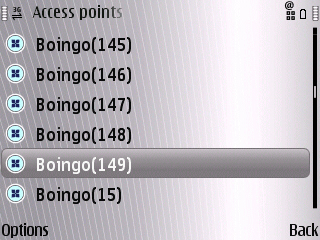
On the return this week from Toronto, I noticed that my E71 was not allowing me to use Wifi and I tried restarting the phone but things still failed. Checking the Access Points I discovered a serious error in the way Boingo had been scanning and adding AP’s on the fly:

When Boingo network discovery goes wrong

Yes, that’s 149 Access Points! I’m not sure what the realistic limit is for a handset, but this has made using Wifi impossible. I can’t manually select an AP like the one at my parent’s beach house (where I am now on vacation) and there does not seem to be any way to select multiple APs to delete them en masse. I’m hoping I don’t have to reflash my E71 but I am not sure how else to clear this mess.

Update – I reached out to Boingo with this and it’s a confirmed serious bug. Working to resolve it …

Technorati Tags: , , , , , , ,

Mobbler updated – Now Supports Last.fm Streaming!

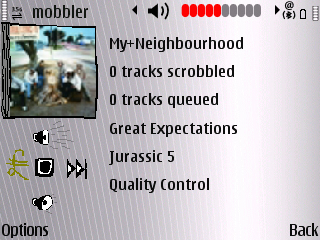
Mobbler is a seriously cool application for the Last.fm enthusiast using an S60 device. It’s been the best way to share what you are listening to within your phone’s media player and has just received an awesome update to actually stream radio back from Last.fm. I recommend installing this immediately!

Mobbler streaming on the E71

This is the first app to stream on S60 that I know of and will be a great addition in my mobile music toolkit. I tested this on the E71 with the BH903 Headset and the controls even work which is a very cool bonus feature! hat tipSymbian in Motion

Technorati Tags: , , ,

Why a Nokia Zune phone makes sense

The rumor has been floating around for a week or so now via Zunescene, here’s my take. I think everyone wins in this deal.

  • There’s been no mention of any kind that Nokia will launch Music in the US or Canada and Zune could instantly fill that as that’s where they currently play. Nokia is already cutting deals in other countries (think we are up to 8 now) and Zune could get instant access to listeners there.
  • Nokia would instantly get a social network built around music via the Zune Social, which is compelling yet under utilized by Microsoft. There’s a great sharing and discovery aspect to the Social when you have a subscription which would only be enhanced by adding a real time connected device like a mobile phone.
  • Nokia handsets already support Windows DRM. I can’t imagine it would take very much to update the software to go from Plays for Sure to Zune since they are really based on the same technology.
  • Subscription music rocks! I’ve had a Zune subscription for about 6 months and it’s been an excellent tool in my musical discovery process. I love that I get any album as they are released on Tuesday and regularly use the meta-data they offer to discover more music. I could easily live without Comes With Music (again there’s no mention of this coming to the US yet) and would love to use my handsets as additional Zune’s in my plan.

I actually can’t think of anything bad here. Sign me up!

Technorati Tags: , , , , , ,

Connected in the Toronto Cloud

I’m in Toronto for a few days this week and have discovered that there’s a great (though not free) wireless cloud here offering very responsive access.

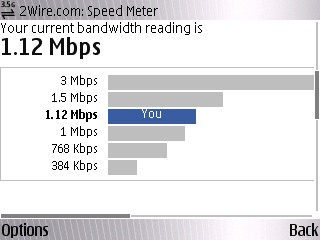
The speed is not far from turbo, but it feels like it’s all mine at the moment which is excellent. What’s nice about the access here though is that Boingo has things covered if you have an account. My account has come in handy during my travels the past few months and I love how easily I can auto-connect as I go. I did have issues today on both the E71 and N810, but my laptop detected and connected without even a hiccup. I think there’s something going on with how the network works here as this is actually the first time I’ve had a problem from a mobile device – knowing there was a visible network.

The coverage in Toronto is something I wish I saw more often. Granted this is not a free network, but the access is easy to see and seems to be covering a solid portion of downtown.

Technorati Tags: , , , , ,

Not seeing any E71 signal issues

Boy Genius Report is reporting that the E71-2 (NAM) has some signaling issues and that your hand can actually impact the signal strength … I’ve yet to see this on mine and am wondering if this is more of a quality control issue with the builds from certain factories.

I’ve used both the E71-1 and now the -2 and have yet to see anything unusual on any front. I get the same coverage I always get from ATT with the usual and known dead spots (thanks for fixing those ATT). I’m in Toronto at the moment and the signal is strong and the 3.5G coverae is excellent. Calls and data are rocking.

My E71 was made in Finland … pop the battery off and check yours if there’s an issue. I don’t have any other theories here, but am certainly curious about devices with the problem.

Technorati Tags: ,

Cablevision prepping a Wireless cloud

While NYC won’t be getting a wireless network anytime soon, it looks like I’ll be able to tap into something in Westchester relatively soon. I’ve actually seen a few optimum (the Cablevision brand) hot spots pop up on my commute and there’s one in Katonah where I live, but I don’t currently have access. Not sure if it’s just someone’s wireless home broadband connection or what…

Over the next two years, Cablevision said it will spend in excess of $300 million to make wireless Internet available across its entire operating region, which in addition to Long Island, also includes parts of New Jersey, Connecticut, New York City and Westchester.

Cablevision, the new owner of Newsday, hasn’t yet outlined which region of Long Island would be first to receive service, which it said would be free to Optimum Online subscribers.

On a conference call with Wall Street analysts yesterday, Cablevision chief operating officer Tom Rutledge said the company spent $20 million between May and the end of June to begin building the so-called Wi-Fi network, which he said the company will unveil soon.

The service eventually will allow people with mobile computers to access the Internet anywhere Cablevision service is available, but there are plans for more services, involving voice, video and data, officials said. [Newsday.com]

A free network thanks to my cable provider would be actually very cool. AT&T does not exactly seem to be racing along with plans to update their HSDPA coverage in Northern Westchester.

Technorati Tags: , , , , , ,

Is ATT blocking the iPhone’s DUN potential?

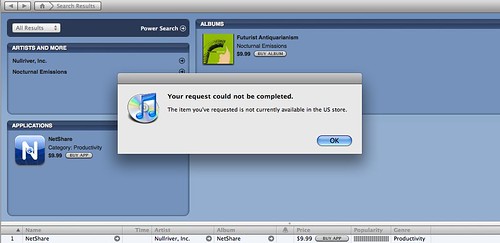
I saw the news that there was an iPhone tethering app available tonight in iTunes and decided to check it out now once I got home. As you can see it’s in the iTunes Store, but my access is blocked in the US. Interesting …

No NetShare for you!

I’m not sure why this is blocked, as there are certainly plenty of phones that can be used in this way — not too mention all the data cards that are out there. Unless the iPhone has some hyper efficient Dial Up Networking capability that no one knows about it seems like an odd to block. People are already using tons of data.

As a related point, it’s ridiculous to even consider paying for this functionality when it’s built into the bluetooth stack to begin with.I just discovered that this is not DUN at all, but an adhoc wifi access point … the same trick you get with JoikuSpot on an S60 device or WMWifiRouter on WinMo.

Technorati Tags:
, , , , , ,