S60 Text Tip

I recently discovered this by accident and when I mentioned it passing last night it’s clearly one of many things about the S60 that takes some exploring to learn.

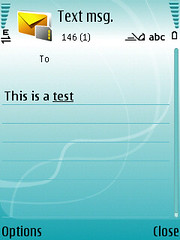
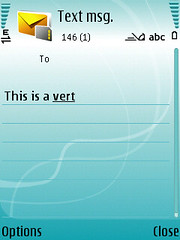
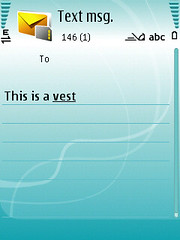
When entering text in T9 mode, you can get the dictionary to choose a different word while it’s underlined with a simple tap of the * key. Here’s a quick example:

Screenshot0015Screenshot0017Screenshot0018

T9 was smart enough to know I wanted Test first, but in case you were actually typing something else, you can cycle through the choices with the * key.

Technorati Tags: , , , ,

An Evening with S60…

03152007175

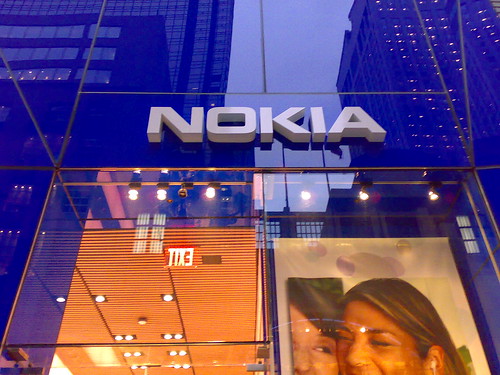
I had a great time at the S60 event last night at the Nokia Flagship store in NYC. Thanks to Phil from S60 for setting the whole thing up and to the warm hospitality of the Nokia store team!

It was great to geek out with Nokia staff and other enthusiasts! I really enjoyed meeting quite a few new people as well as actually speaking in person to a few familar bloggers: Darla Mack, Mark Guim and Stefan Constantinescu. The S60 brought out all the new and upcoming goodies so we got to really check out the 6110 Navigator, E61i, E65, N75, N76, E90, N93i and the N95 which seemed to captivate most people who were there.

I got a great overview of Feature Pack 2 (s60v3 fp2) which has some very slick animation transitions, awesome customization and of course media capabilities. I think Mikko finally resolved the issue for me with Feature Packs not being installed through firmware updates — A feature pack is an extension on the platform, that usually requires new hardware to run. The average lifespan of a device is about 2 years and the development path is tough to intersect — even for a total Nokia package (software and hardware). It’s quite a bit more difficult for S60 devices not manufactured by Nokia…

It’s clearly a business decision not to support things beyond the more “basic” updates which are generally to squash bugs or make smaller enhancements. We are actually lucky Nokia even supports that as it’s far from common for a handset manufacturer to enable end-user updates. While the hardware will be more powerful when FP2 ships, it will also be easier to use — meaning you’ll actually see in the UI that you can adjust a setting (obviously) and that multiple apps are running so that the capabilities are more easily understood. Now the audience last night was far from the average user and Nokia is making a move with FP2 to enable a broader suite of devices to become more capable rather than just relying on their ultra high end stuff…

I’m looking forward to the browser release which should arrive within the next 1 month. Apparently, the user voices have been heard and the browser will be pulled out from the FP updates so we’ll all be able to take advantage of the progress that’s been made without having to drop some serious dough on a new phone — just to take advantage of the browser…

Some pics I snapped are on flickr and include some GPS coordinates from my trip as well as a few shots inside the store. The flickr pool from last night has a bunch more. Phil also shot some video from last night which should eventually make it on YouTube

Again – The night was a lot of fun and I hope we’ll have other opportunities to get together.

BTW — Congrats to the lucky winner of the N95 last night — I missed your name and stopped paying attention once I realized it was not me. 😉

Technorati Tags: , , , , , ,

GrandCentral Gets Some Big Press

Andy notes David Pogues latest tech piece and video (in spoof act now style) on GrandCentral which is one of the coolest voice 2.0 companies I’ve run across.
In case you’ve missed what GrandCentral is or how it works… here’s the basic gist.

  • Sign up for a free new phone number.
  • Give it to everyone you know…
  • Set up GrandCentral with your other phone numbers (work, home, mobile(s), Skype, Gizmo, Truphone, etc…)
  • Upload your contacts into your account (you can export from basically any existing database)
  • When you get a call on your GrandCentral line, you can choose to screen the call, pass it to voicemail, listen while someone leaves a message, block the caller and of course answer the call (on any of the phones you’ve added)
  • One of the more amazing features is that when you are on a call, you can transfer a call to another phone with a simple press of a button.
  • On the GrandCentral site, your call log gives you the capability to set up groups (Family, Work etc…), see location info, download and listen to voicemails and even set up some rules (like how callerID is handled) for callers.

My ONLY fault with GrandCentral is that I don’t use it enough. I have a better cellphone number than my GrandCentral number, though I would imagine that in the near-future, we’ll be able to port numbers into the system.

Technorati Tags: , , , , ,

PocketCaster video Blogging…very cool!

OK – This is pretty crazy. I just live streamed a video from my Nokia N93 to the web! I had actually seen Steve Garfield do this last week when I was in Dallas and tried to get it working over dinner with Andy Abramson, but the open AP in our restaurant was blocking my progress at the time.

I cover a few random bits… obviously testing PocketCaster (check) a bit on Twitter for Stefan (check) and a progress report while sitting on my ass with the Nokia Workout Tracker

While the N93 was on my Nokia Tripod I also moved the camera around a bit so sorry for the seasickness…

I could have posted this to my blog directly if I used Typepad or Blogger, so instead I routed the video through YouTube. When I watched I had to use Safari to get my video to play in Quicktime for some odd reason as Firefox requested I install a plugin. I use Quicktime Pro so I’m not sure where the glitch is, but think it’s pocketcaster…

Technorati Tags: , , , , , , , ,

Nokia GPS Question…

Is it possible to get a Nokia GPS to be active in always-on mode without leaving a navigation app open? It seems that when active both the LD-1W and LD-3W save their tracks locally which is cool. You can read this through most apps that can read NMEA info (Google Earth works nicely) when you get back to your computer to see where you’ve been. With the appropriate additional tools, you can even use the time-stamp to match against pictures you take with a DSLR.

My main purpose though is to ping it throughout the day via Shozu and I’d rather not leave Nokia Maps running which tends to eat my phone’s battery if in constant tracking mode.

Technorati Tags: , , , , , , , , ,

When it’s too easy to get online?

Hard to imagine easy online access being a bad thing — except when you have to pay as you go on a metered 3G service with a very misleading name… Metered plans are a good way to get you to pay extra. If you use the data services or will with a new device, that slight up-charge to unlimited (at least as I’ve seen in the US) will actually end up saving you money.

I have this 20-year old staying with us for a bit, so I handed her an Nokia N93i. I told her it had WiFi (which she understood, since all our computers at home have it), an amazing video camera (which she got excited about, in a YouTube way), and I told her that it could play her music in as good as any music player (and which 20-year old is not a music freak).

Well, first thing she goes off and do is download a bunch of songs from bands on MySpace, using the phone’s browser. It’s how she understands accessing stuff on the Web. Then she started taking some great videos of the bands she went into town to see (that’s another story).

I told her I was impressed that she was able to get online so easily. I didn’t think our devices made it that easy to use the WiFi (I later found out that the N93i has a neat WiFi sniffer).

A few days later, she was showing me something and I noticed that she was using the access point called ‘Internet’, which happens to be Sonera’s (her operator) 3G access point.

Ugh.

A quick check of her bill, via SMS, confirmed that she’d run up an incredibly high data bill.

It was too easy to get online. And the whole access point thing was new to her, so she didn’t think she wasn’t using WiFi.

Dammit, it said ‘Internet’. [Lifeblog]

Technorati Tags: , , ,

New Site – Featured Maemo Apps

This morning I’m announcing a new project I’ve just started — Featured Maemo Apps!

I read a bit today on how debian has a site focused on highlighting an application a day. It occurred to me immediately that the Nokia Tablet and Maemo platform also needed a resource to help users explore the growing list of applications and get a better understanding of the tablet’s capabilities. And so here we are… [Featured Maemo Apps]

I’m passionate about the Nokia Tablet and think there’s an opportunity for the platform to seriously expand grow as this new category becomes more well understood. This is my contribution back!

If you’ve been reading here and either have an application you’ve developed or have something you’d like to know more about as an end-user, please let me know and I’ll get things queued up!

Technorati Tags: , , , , , ,

iPhone to make VoIP calls

Hard to see how this won’t work. I hope other VOIP providers follow… I can’t really see Michael Robertson sitting idle, letting Jajah get an edge over Gizmo.

It seems Jajah’s Mobile Web service will allow iPhone and smartphone owners to make these calls from within the mobile’s built-in web browser to any number in the world – no software download is required.

All an iPhone user will need to do is type the address mobile.jajah.com into their browser, and then enter their user name and password in order to be able to call people from within the browser.

The Jajah blog claims: “We are going to bring Jajah Mobile to the iPhone as soon as it becomes available.” [Macworld UK]

Technorati Tags: , ,

What will the Nokia N800 software update bring?

There are a few bugs I’m hoping will get squashed when the next software release comes out … scheduled for any day now.
I’m sure other people have things they’d like to see fixed, but these are ones I deal with on an almost daily basis:

  • Random Reboots – Think it’s been confirmed as a DSP issue and something that has been discussed on the users mailing list.
  • Bluetooth – While it’s great when it works, there are plently of times after a start-up that my bluetooth refuses to turn on, which means I need to reboot until it either turns on automagically, or allows me to activate it through the control panel.
  • Flash speed and responsiveness – this is the YouTube / Google video. Today’s tweak is to set the cache high and the quality low which you can do with a tap and hold on flash movie. It does not seem to work as a general preference, but certainly helps quite a bit if you want to watch something immediately.
  • Application quit errors – while vastly improved on the N800 from the 770, it still happens and is definitely something that needs addressing. Usually happens to the browser. Not sure whether this is an OS or application issue.

There are also features (like Skype and Rhapsody) coming very soon. I’ve actually been fortunate enough to see one of those in action as a hack of sorts and been assured that as good as it is in “hack-mode” the real release will be very solid.
Features I really want:

  • Bluetooth headset support – man do we need this — even if Uncle Nokia thinks headset guys are usually a bit round in the middle (an inside joke)… this would really enable a better VOIP experience.
  • Actually while we are at it, why not A2DP support as well so we can use wireless stereo headphones.
  • Enhanced Video codec support – .MPEG4 would be killer, though I know a lot of windows users really want to see Windows Media added as well.
  • I’d love to see that Nav Kit in the US… supposedly coming in March which of course it is. Perhaps it makes sense to show all the cards with the software update.
  • I’d also love to see some new easter eggs… FM Radio was a nice discovery, but there’s got to be some more goodies hiding under the covers….

I’m sure there are other things, but these are ones I actively think about that would greatly enhance my daily usage. If you’ve got others, let’s here about it in the comments!

Technorati Tags: , , , , , , , , , , ,

Thoughts on MuniWireless

I had a very productive few days attending MuniWireless this week and a few thoughts remain top of mind.

First, way more cities have either built municipal networks or are openly discussing their desire to build networks than I had previously realized. What was great to hear is how many of these networks are NOT happening in large cities, but rather in the smaller and medium sized locations. This really got me thinking about where I live and why Westchester County does not have anything under way for public use. Since my return, I was able to locate at least one development underway for first responders (public safety) which was good to see, but is barely scratching the surface on what wireless technology and the proliferation of broadband can do for a local area.

The Digital Divide is an interesting issue that came up repeatedly. Clearly many municipalities sell through the idea of the network as a great connector or equalizer for citizens regardless of economic status and previous access to broadband. The thing most people don’t apparently talk about is what happens after you unwire a lower income area? The same people don’t magically open their MacBooks and get online… the same socio-economic issues are in place and most of these people don’t even have computers. A relatively low cost, yet powerful option comes to mind…

Broadband – If you can believe it the US Government considers 200Kbps broadband. This is quite sad considering you’d have a heck of a time doing any moderate multimedia on 200K, let alone the now standard YouTube or music streaming and you can forget using VOIP or something like Joost. I realize my mileage is far from normal, but I’ve got a 30MB / 5MB connection at home, and since moving to a cable modem about 7 years ago, have never had less than 1MB down (ISDN before that at 112kpbs) and actually been more at the 3+ level. As soon as my cable provider offers a faster tier, I buy it. Quite a few cities are being sold and implementing 1MB or 1.5MB networks which is very average. I recognize there’s massive cost to invest here, but think of the long term plan and not just the next election term… what happens when a few thousand people all use a 1MB connection… I think local governments can count on unhappy tax payers.

Dual-Mode Phones – Nokia is a major force to be reckoned with here if A) People recognize that they can buy these things without a carrier and B) can afford them. There are not too many manufacturers cranking out WiFi enabled cellphones that can also do VOIP. When you are in the network, you can switch to SIP with TruPhone or Gizmo and make free calls. If I had a municipal network to connect on, I’d be all over this… between my N80i, N93 and N800 Tablet, I’ve got 3 options to be making and receiving calls for free. There are of course quite a few Skype and SIP capable phones that would be quite excellent to have in your pocket if you went out for the day in a muni-network.

Easy and Open Access – Something that came up on the panel I spoke on as well as in earlier sessions during the event is the pressing need to standardize how people access networks. It’s easy if you use a computer – PCs generally being easier to connect than Macs, but what happens when you use a new device with WiFi? As I noted earlier, I have a number of WiFi devices – phones, my Nokia tablet, a Nintendo DS and a PSP. They all connect differently and not all of them have browsers that are allowed to connect and authenticate. None of them have IE, which seems to be the system integrators browser of choice. While on the topic… if the networks are designed for public usage, please openly enable that purpose, or state clearly what you already know won’t work. Don’t block UDP ports and VOIP services, just to block them as (ahem) our hotel did in Dallas. There are always work-arounds for those savvy enough to want to hack a bit.

Finally, a BIG Thank you to Andy Abramson for the invitation to attend and participate in MuniWireless! I had a great time on our emerging mobile devices panel with Oliver Starr of Guidewire Group, Paul Murdock from Nokia and Kent Brown from Motorola.

Esme Vos and the team at Microcast Communications put on a great show, if you are considering a future MuniWireless event, I’d highly recommend it.

Technorati Tags: , , , , , , , , , , , , ,

Mobile as Modem…

Because I have the sickness, I just happened to find myself in Best Buy Mobile yesterday while wandering in the city…

Best Buy Mobile is actually a very cool store that seems to sell every phone and device from their partner carriers. The store I was in did not have Amp’d, Helio or TMO, but Cingular, Verizon, Sprint and Virgin were very well represented. The nice thing about a store like this is that they are carrier agnostic and actually want you to get the right phone and plan for your situation… which brings me to mine.

I’ve been considering a second plan just for data to do some higher speed bluetooth tethering than Cingular currently supports (EDGE) where I live and also since there really are no 3G Nokia’s yet… The N75 will definitely solve my problem when it finally arrives, but who knows when it will really be here so on to explore…

Turns out Sprint will sell you a plan that includes NO Voice and allows the phone to be used as modem which is exactly what I am looking for. The only problem then is what’s it’s worth – do I want to buy a $200 phone (Samsung A900) and pay ~$50/month for unlimited data or continue to wait it out for the N75 and just add another line to our family plan for 10 bucks + data. I actually just checked the BestBuy Mobile site and see the phone is available for $29.99 with an instant web-only price – but you can’t buy a plan without voice…

Why can’t someone just make a 3G modem roughly the same size as my GPS so I can just drop it in my bag and use it for my tablet and notebook…

I still need to check into Amp’d and Helio as well … Anyone doing anything like this?

Technorati Tags: , , , , , , , , ,

Shozu is back!

I was having trouble updating to the current rev of Shozu, as mentioned earlier but was finally successful last night after considerable effort. Turns out, there was an issue with security and former references to Shozu on my memory card. The bad news – I had to reformat the card. The good news – Shozu is back in action on my Nokia N73.

With the new release. Shozu supports Geo-tagging via GPS which is very cool. Now when I snap a pic with my GPS nearby, Shozu automatically adds location data, which is then in turn automatically read by Flickr, which reads the Geo data and adds my pics to the map as they are uploaded. For a mobile blogger, this is super cool.

Technorati Tags: , , ,