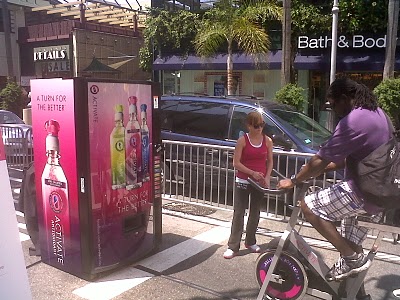
This is just great. It’s completely pure.
via Brand New

a multi-tasked stream of consciousness or perhaps just emails to myself
This is just great. It’s completely pure.
via Brand New
I just watched this terrific interview with Vizio CTO Matt McRae at The Verge. Highly recommended viewing … on the strength of the ecosystem, the future of TV and a bit of what’s coming in the not so distant future. I’ve got a new level of respect for Vizio.
Ridiculously cool! Go Fullscreen HD if you can…
BIGGEST TEAHUPOO EVER, SHOT ON THE PHANTOM CAMERA. from Chris Bryan on Vimeo.
An interesting post popped up at The Verge last night where Motorola’s Sanjay Jha starts to reveal that the Carriers are what’s driving so many variants of user experience on Android.
We also talked about OEMs’ perennial press to skin the operating system — a trend that looks poised to continue in Android 4.0 — which developed into a full-blown conversation about the conflict between the mythical “stock Android device” and the realities of business between manufacturers like Motorola and carriers. “Verizon and AT&T don’t want seven stock ICS devices on their shelves,” he said, insisting that he “has to make money” and that there simply isn’t a way to profit on a device that isn’t differentiated. “The vast majority of the changes we make to the OS are to meet the requirements that carriers have.”
There are a few considerations that come to mind for me… For starters, how about selling fewer devices? Part of the issue is trying to show you have a massive library of devices when I’d be willing to bet that 10-12 smartphones would be plenty (not counting storage differences in certain models like the iPhone). A quick look on the carrier sites at smartphones and I can see that Verizon offers 56, AT&T has 43, T-Mobile 34 and Sprint 38. (there are few extra with SKU nuances).
They don’t all sell all operating systems, nor do they really need to but using my quick ignorant math we can cut the number down drastically … iPhone (2), Android (5), Blackberry (2) and Windows Phone (3). Imagine walking into a store and being able to quickly decide on a platform and then quickly make a choice between a few key differences. Today that decision is challenged at best for the average consumer. We know the carriers force / suggest / demand that OEM’s rename their devices so that each service has a “unique” device even though they are exactly the same. This illusion of difference complicates things for the layperson and really just does a disservice to the industry. Carriers must obviously like this in the same way they keep our billing complex.
If we maintain something like my suggested shorter list, OEMs would need to start thinking about what features to highlight as differentiating (limited specs or perhaps custom apps / services) rather than simply how many devices can I possibly manufacture as if it’s some sort of arms race.
From a consumer side, the main things that seem to matter are: Can I do email / web? Can I do apps? Can I send pictures? Do I really need to sort through between of 38-56 devices to find a match when every single one of them can do all of those things?
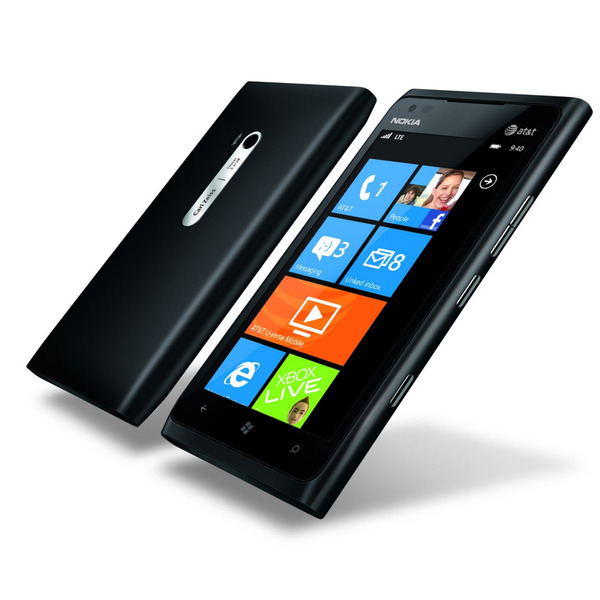
I have almost no interest in Windows Phone but really want to play with the Nokia Lumia 900. It’s amazing to see Nokia back in action, though also sad knowing that they couldn’t pull it all together themselves (Meego).
Change is good though and the Lumia 900 looks like a solid piece! Gorgeous …
Image courtesy of The Verge
You know, for kids!
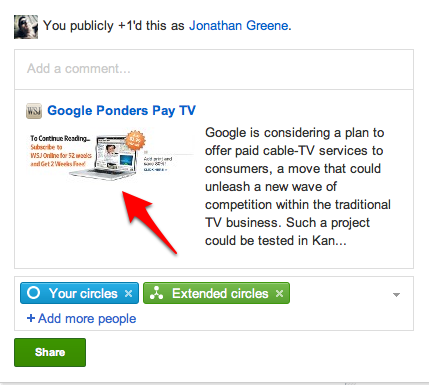
As a paying subscriber to the WSJ, I’d like to share some things I read with people. I do this from a lot of publications, but only the WSJ uses the social exchange opportunity to close the paywall. Anyone who clicks on these links gets a very limited view and no way to read the full thing. Pretty lame.
I’ve been a Chase bank customer for over a decade and they stay mainly out of the way yet with a few rather annoying exceptions.
Each month I get an email telling me about a failed transfer attempt because of insufficient funds though I have no transfer scheduled nor any record of it failing.
I also find that even though I moved 7 years ago and Chase mails me postal mail and has my information seemingly correct online I have to use my old and incorrect zip code when I use my debit card for transactions. For some reason this seems to pop-up when I buy my metrocard, movie tickets or make an online transaction of any kind. Chase of course has no record of this when I’ve called which makes it more annoying.
Switching banks seems like a big pain given all our online bill pay accounts and they are local when needed. I just wish they could manage my data a bit better.
According to IntoMobile, Verizon is about to introduce paperless receipts at their retails stores. This seems like a great idea for existing customers though I’d love to see this get some NFC integration … tap to pay have it billed via ISIS (the VZ invested consortium) and show up in your docs and receipts.
I don’t even use VZ, but this seems like a very natural fit that could offer great customer benefit. Isis has yet to announce what phones will be supported though Verizon does currently carry the payments-capable Galaxy Nexus
Following my last post I though it would be interesting to show a quick comparison between the options for InstaPaper (InstaFetch), ReaditLater and Readability. This is far from scientific and really just a single article but in my experience still highlights the reading experience. Of course this is purely subjective and your preferences may vary.
As I was perusing Flipboard over coffee I found a good piece with lots of links to catch up on. Here’s the first I decided to read … before becoming distracted with this test.
Here’s what that piece looks like via InstaFetch:


And now in ReaditLater:


And finally in Readability:


Readability stands as my favorite as it tends to render the cleanest copy and also provides a terrific desktop experience if you want to use it there. Both InstaFetch and ReaditLater can sync in the background which is great for offline access. Readability is perfect for real-time conversions … at least until the app appears when I expect it will suit the full range.
I’ve been using an Android device for a little over a year and my mobile habits are pretty formed. I also carry an iPhone and I’d love to find app parity between platforms. In general I’m equally productive across the two, but there are a few things I’d really like to have on Android that are simply missing at the moment… Nothing critical but all nice to have at different levels.
In all the list isn’t that long. The main missing piece is reading which I do a tone of as a self-confessed I formation junkie. Google Reader is great anywhere but the curated content is a great way to mix it up. Photos should evolve soon enough. I’m guessing that with a snap in Instagram, I’ll be able to “send to” anywhere much the way Android typically allow which will probably earn more of my time.
Like quite a few people I’ve run and biked with my phone. I ride more than I run but with running I typically track with my phone. I’ve used Nike+, Runkeeper, and currently use Strava to consolidate my training.
My preference for tracking is via a Garmin computer as it tends to capture a much richer picture of what’s happened including heart rate and in biking cadence and for some power. These additional details are tricky to acquire on a phone as very few phones use ANT+ the typical wireless tech on these devices. It’s only a matter of tine however and phones are likely to be the main route for most people – assuming of course the connectivity and importantly battery issues are resolved.
 ?
?
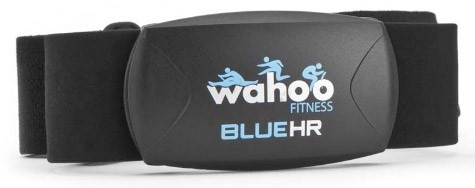
Wahoo Fitness has been pushing an accessory dongle for ANT+ connectivity and is about to release a heart rate monitor as noted by Engadget. While you do need to pay extra to gain access to extra data it’s definitely less expensive than a standalone system. Until battery life is resolved its going to be hard to justify using my phone for biking but for running this seems like a great solution.
I’ve got two Google accounts. One is linked with my Gmail and something I use for just about everything within the Google ecosystem. The second, is linked with my work email and is really used for Google Docs. I’ve added it along with my Gmail to my Galaxy Nexus (it’s awesome) so I can get mobile doc access.
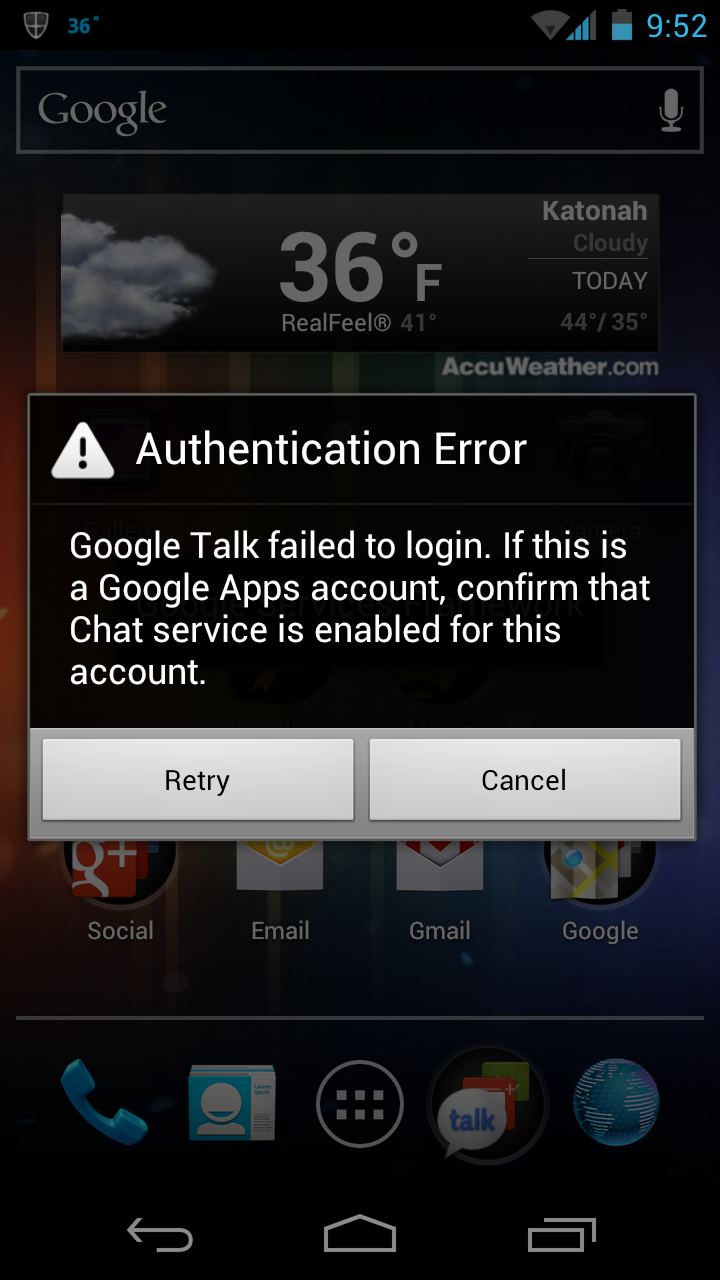
Anyway the problem is that with my work account I do not have chat access. I don’t really want it either but for some reason the Android system is constantly trying to log me in to chat. There’s no way to simply say there’s no chat on the account or to permanently say no thanks. Instead every few minutes I get an alert.
As you can see here, the alert presents itself and offers more info, but there’s no way around it other than to try again … and again.

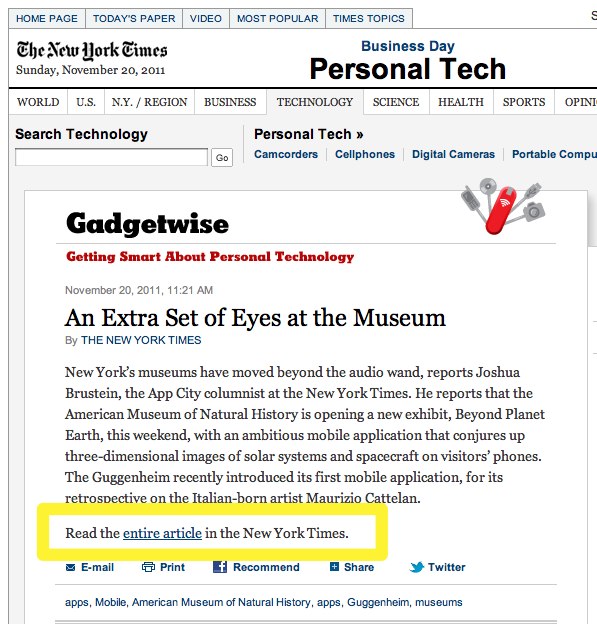
As you can see with the image here, there’s a second click required to read the actual story which is pretty lame. I clicked through from Google Reader and actually noticed this on an earlier post as well. Why would we want to click through to read a story just to click through to a read a story? Oh yeah, so we use up our monthly free clicks … getting you closer to the paywall at each step.
I hope one day to be able to attend something like this … don’t see it happening too soon in the NY Metro area unfortunately.
absolutely beautiful!
Good overview of the latest paypal mobile wallet (and offline features) … they have a lot to overcome to become a viable in-store solution.
The most notable feature of PayPal’s mobile wallet is payment flexibility. Users of PayPal’s mobile wallet application will be able to choose how they want to pay for purchases even after the sale. That means a purchase can be transferred to a different credit card, a debit card, a PayPal account or even a store gift card, if necessary, directly through the PayPal app. The payment could also be split between multiple cards/payment sources.
via Forbes.
Optimum Online – Wifi – Authentication – Sorry.

I’m sure I’ve ranted about this previously but Cablevision needs to get a clue. I use this service daily while at the train and find it helpful, though frustrating to manage … You can’t update your devices for their metro wifi service when connected to it in the city or on your mobile device. It only works from home when connected via your home service. You also have to understand and find the MAC Address which is not really very consumer friendly at all.
nice interview via FastCompany with John Jay, W+K’s Global Executive Creative Director on breaking out of Silos …
via Chase Jarvis