Maemo Mapper in Action!

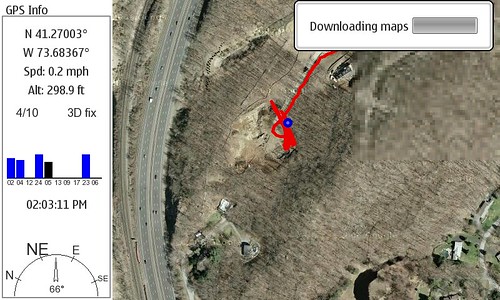
Maemo Mapper in action!
I snapped a screen shot of maemo mapper downloading… and then uploaded to Flickr from the N800!

If you have a bluetooth GPS (I use the Nokia LD-1W) you can get a mobile GPS with Google Maps running pretty easily. The main limitations are the speed of your connection (you download as you go, but can save for future reference) and the strength of your GPS.

I believe a SIRF III device would connect much more quickly than my current GPS, but it works VERY well once it’s active and in sight. It took stopping the car for Maemo Mapper to agree the GPS found us, but from looking at the screenshot Maemo Mapper was tracking my course anyway… very slick.

Technorati Tags: , , , , , , ,

Not Helpful


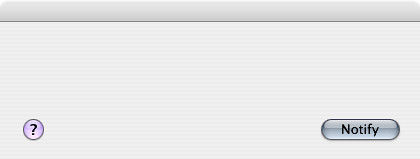
Not Helpful, originally uploaded by atmasphere.

Just opened my addressbook and got this seriously ridiculous dialog…

I hit escape and it went away, but clearly something was going on that did not work out. I think my contact info has synced down from Plaxo and the system was asking if I wanted to notify everyone (no).

Technorati Tags: , ,

What’s on my Desk?

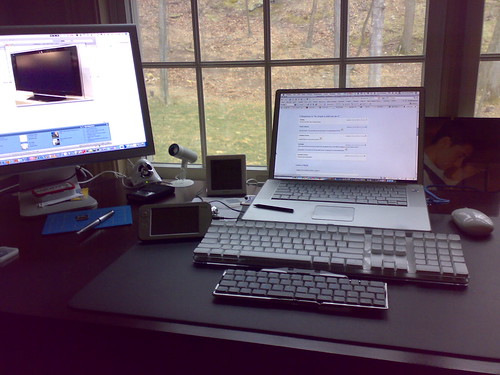
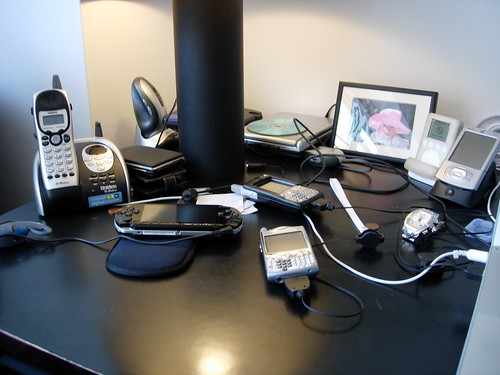
Yesterday I looked down and saw I was actively using three systems each with a keyboard and screen.

What's on my desk?

(just out of view to the right is a Nokia N93 and I took this with the N73)

I had taken a shot previous and I think I’ve reeled in my tech addition somewhat… though I am clearly using a different array of stuff:

What Gear is on your Desk?

I live in a house now and have a lot more space to stash things … so there’s quite a bit more you just can’t see here at HQ, though what you see in that first picture is in active rotation. What’s on your desk?

Technorati Tags: , , , , , , , ,

N770 / N800 – Future Tech?

Luxist points to a pretty slick RFID based, wine catalog system that is really a tech demo more than a full product, but still show how handy something like the Nokia Tablet might be based on it’s small size, and bright touch screen. There’s no RFID reader or sensor inside it today, so this is not going to be as simple as just installing a piece of software. I’m sure Andy would be all over this in a heartbeat if it was real… 😉

Here’s a snippet from ThingM:

WineM is a Technology Sketch of a smart wine rack. It’s designed to locate wines in a wine rack using RFIDs attached to bottles and to display which wines have been located using LED backlights behind the bottles. Collectors (or anyone with a large wine cellar) can use it to search through collections, track the location of specific bottles and manage inventory with a minimum of data entry. Linking bottles to networked databases can provide information that would otherwise be too time consuming or difficult to obtain (for example, the total value of a collection, or all the wine that is ready to drink).

I could actually see using a library manager like this for other things as well like a large media collection. Imagine looking for a CD or DVD (the actual disc) and tapping a few buttons to have it highlighted nicely on your shelf. If you have a large collection and it’s not exactly organized, finding what you want can be rather slow…

Technorati Tags: , , , , ,

So simple a child can do it

While the Nokia N800 is a mobile powerhouse it is also extremely simple and fun to use.

My three year old daughter Hannah honed her skills with the computer and mouse in the last week and has quickly begun to advance to mastering stylus control and some new applications.

Here’s a quick video of her enjoying the painting program tonight before bed.

BTW — I shot this video on my N93 and then swapped the card over to the N800 where I uploaded the video to YouTube, and wrote this post!

(I did have to actually repost this as there was some crazy line break in the post that messed up the YouTube embed link and wreaked some temporary havoc with my page layout. Think it was the Opera browser form for WordPress… too much text with wrapping in fingerpad input mode.)

Technorati Tags: , , , , ,

Challenges ahead for IPTV and P2P Video

Andy Abramson fires a few shots at P2P video which I unfortunately agree with given where we are with our current infrastructure…

So imagine what happens with video which requires even more bandwidth than Voice. Let’s face it, it’s one thing to be the only person on a T-1, but a shared pipe that’s got everyone doing everything (voice, video, data, gaming, IMing, etc.) is the next place we’re going to see Information highway gridlock.

Our networks in the USA are not built for what is coming, nor will they be as rapidly expanded as they need to be. My experiences in Europe are far different now than they were a few years ago. When I’m in a hotel which has a quality broadband network my experience is T-1 like. In most Internet cafe’s in major cities I have a similar experience, but here in the USA we don’t have the luxury of the networks being built to handle all that’s coming. [VoIP Watch:]

I have the premium tier from Cablevision — supposedly 30MB down 5MB up. I certainly don’t get that regularly and in fact rarely do. A quick test on my connection reveals a symmetrical 3.5MB. I’ve seen the greater speed, but am not getting what you would want in order to really maintain the type of experience people would be willing to alter their current video provider. Verizon FIOS is rolling out in my area (not quite to my house) but will run at least 100bucks / month just for the data connection… you then of course need to add service like telephone and TV. Integrating billing for the triple play is very expensive, even if it might be convenient.

Seems there’s still a long road ahead for sustainable IPTV solutions.

Technorati Tags: , , , ,

This one goes to 11!


This one goes to 11!, originally uploaded by atmasphere.

Just a bit cold today…

Getting Google Calendar on your Nokia Tablet

So I finally figured out the simplest way to get Google Calendar info locally on the Tablet… It’s relatively simple given the amount of effort I thought was required. You do not need to use a third party system like ScheduleWorld or GooSync (which does not work), you simply subscribe to your Calendar’s private (or public) iCal feed. You can easily view your Google Calendar online, but I’ve had trouble getting events to add. My guess is that the Ajax is a tad tricky for the Opera browser to really manage — not too unlike my experience with Google Reader actually.

You’ll need to actually install a calendar on your Nokia since there isn’t one thee by default and for the time being I would recommend GPE-Calendar, which is a nice work in progress. I’m not going to get into how you need to add repositories in order to install software here as that will make this more complex than need be. If you don’t know what that means, your probably reading the wrong post. If you have GPE-Calendar installed already, you are all set.

It’s probably best to start in Google Calendar in order to get the details we need to make things work back on the tablet… In Google Calendar, click on Settings, then Calendars and the name of the calendar you want to use. At the bottom of the screen, you’ll find the ical and rss options for your calendar. I am using the private ical link in GPE-Calendar and as you would expect you’ll need to also use your Google Calendar login credentials in order to view things on your device. I emailed the .ics URL to myself so I could have it locally on my tablet as the address is pretty long. From within email on your Nokia, you can simply copy it to your clipboard as you’ll need it in a minute or two…

Back in GPE_Calendar — From the menu, choose Tools, then Calendars. When the window opens, you want to tap the paper icon, which will create a new calendar or you can edit the default calendar if you prefer. Regardless, you need modify the settings… Under Type, you’ll need to switch things from Local to Subscribe and paste or enter the ical URL we noted from Google. After you enter your Google Credentials in the boxes below, and adjust the sync frequency, you are done. Click save, and you’ll be back at the Calendar list. You can tap the down arrow icon which should now be in the line next to your calendar’s name. This will manually begin the process… be patient, as it may take a few min and GPE may appear to hang.

There are three bummers here aside from actually having to install a calendar on what seems like it would be a natural PDA already. If you can live with these for now while things evolve, you’ll be all set:

  • First, you can only subscribe. Changes made on the tablet are not sent back as a limitation of GPE Calendar. This means that you will receive whatever is on Google regardless of what you may have done locally… Hopefully this will be enabled as a two way option at some point in the near future as there is quite a bit of enthusiasm around the Nokia Tablet right now.
  • I’ve also discovered that alarms you’ve set for events do not travel… I’m less concerned about this for now since I get alerts on my phone via SMS as well as on my desktop from Google’s Notifier, but it seems like something that should really just work.
  • The last thing is a bit odd. When you sync, the CPU spikes and basically stalls things. I don’t know why downloading info like a calendar would do this but it does. Again, something that will hopefully be worked in the near future.

Technorati Tags: , , , , , , , ,

SyncTunes – Smart Content for your Nokia N800

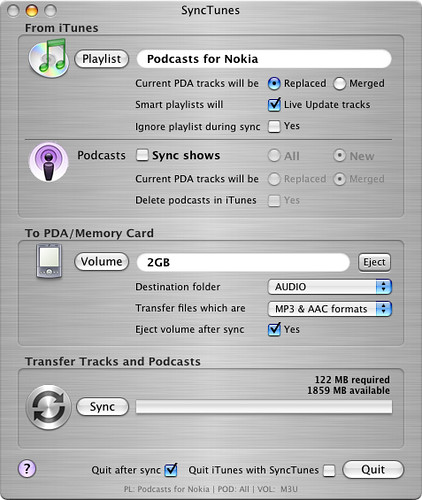
I had read about but was struggling to recall an app that could easily sync content from iTunes to a mass storage device (mounted memory card for example) and finally re-discovered SyncTunes today!

Through the magic of this application I can now VERY easily sync content to either memory card in the Nokia N800 which is very cool. You can certainly drag and drop things as you like, but through SmartPlaylists in iTunes, things are so much more interesting.

SyncTunes

As you can see, the main interface of SyncTunes is pretty straightforward. You can choose a playlist (or smartplaylist), Podcasts and which volume and folder within you’d like to have things reside. I currently subscribe to far too many podcasts to be able to sync everything so instead I created a smartplaylist so the latest unread content could be waiting for me on the Tablet.

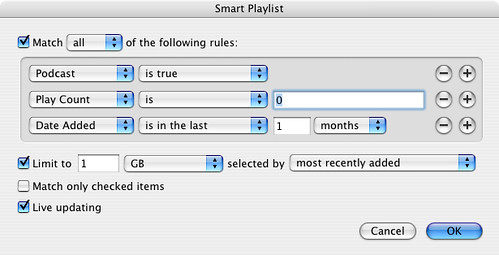
SyncTunes SmartPlaylist

With this configuration, I am selecting only podcasts from the last month that iTunes (and also my iPod) have not played. SyncTunes will automatically replace the material on my N800 with each sync and the smartplaylist in iTunes is set to update on the fly. The whole process took about 5 minutes to set-up. While I am using this with a Nokia N800 tablet it will certainly work with any device that can be mounted on your desktop either through USB or even a card reader.

Technorati Tags: , , , , , ,

N800 — It’s going to get even better!

This is great news – straight from the team lead at Nokia…

We are currently working on improving the N800 software for the forthcoming new software releases. I believe we can improve performance in many areas. Also, the overall stability and quality is on our agenda, of course. So expect to see N800 getting better and better. I feel kinda bad seeing magazines and bloggers reviewing N800 and complaining about something that is already fixed in our internal sw releases. I hope all reviewers understand that N800 is a device that is going to improve over time – just like the 770 has done!

Some people are also asking about new Flash versions, new browser versions and so forth. These components involve customer and business partnership relations, technical work, and other things that make it impossible to tell exactly what is gonna happen. However, our goal is to make Internet Tablets as interoperable with internet services as possible. This includes services such as Skype and Google talk, support for major internet formats, and a brilliant browser. As I said earlier, the direction is clear and right, and the speed — well, we run as fast as we can! [Ari Jaaksi’s Blog: A status report:]

Technorati Tags: , , , , ,

Nokia’s profits surge

Nokia had a good 2006…

Nokia, the No. 1 cell phone maker in the world, reported a 19 percent increase in profits based on strong sales and steady profit margins.

In the fourth quarter, Nokia posted earnings of $1.65 billion (1.27 billion euros) compared to earnings of $1.39 billion (1.07 billion euros) in the same quarter a year ago. For all of 2006, Nokia saw profits of $5.59 billion, up from $4.69 billion in the previous year.

Nokia shipped 106 million handsets in the fourth quarter, an increase of 27 percent from a year ago. It gained market share in every region of the world except North America. [CNET News.com:]

It’s not surprising that North America was not a growth market at all. Nokia has very limited penetration with US carriers and that’s really how handsets move around here… Offering unlocked devices is definitely nice, but price is what drives the sales and subsidized devices are hard to beat for most people.

Technorati Tags:

N800 Continued Use

Home Screen

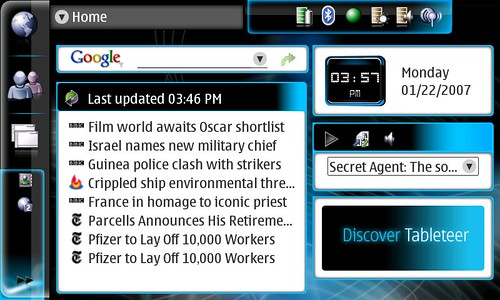
Nokia N800 Main screen…  Internet Search, RSS, Clock, Media Player and Web Shortcut applets all loaded up. 

My decision to pick up the Nokia N800 was not something I considered for a long time and in fact was pretty spur of the moment. When my 770 toasted itself on Friday afternoon, I immediately began itching for it’s replacement and assumed I would be dealing with another 770… I had seen the leaked image prior to CES of the N800 but was not really that impressed even with the pop-out webcam. The CPU was supposed to be faster with more internal memory – the usual type of update to a product one might expect. I thought that the black 770 looked cooler, though as the CES press images started to roll out and I began reading people’s actual usage reports I did begin to get a bit jealous as my 770 was only a few months old.

After some queries to the Maemo-Talk list it seemed that my tablet was down for the count needing to be sent to Nokia for repair. The white screen of death (WSOD) is apparently a hardware issue and not something that reflashing the firmware can handle. While reviewing the process to send a device in for repair I found my purchae receipt and realized that in fact I had also purchased the CompUSA device replacement “insurance.” Having smashed a few Palms in my time, I guess I thought it might be a good idea, though it’s not the sort of thing I usually purchase.

As it turns out this was a great thing and I immediately decided I would simply split the difference ($50) and get a better unit when I went to my local store. In theory this works, though there were some corporate issues initially preventing the customer service person from simply honoring my request to get the N800 rather than another 770. I was past the return window and the replacement policy is really only for the same thing – unless it’s discontinued. Standing in the store with the N800 present, I was fully committed to bringing it home, rather than another (now older and lesser!) 770. But before I could get agitated, the store staff actually started problem solving it for me. The manager decided that if I would purchase another replacement policy for the new unit, they’d honor the upgrade / replacement manuever… no problem there and the N800 was in hand!

After a few days of use I have to say this is a very substantial upgrade. On the surface it might not appear to be, but Nokia has really gone to town on this one making it a pleasure to use. Some key points for consideration:

  • I find that I want to have it with me at all times. When I am in the house away from my desk, it’s more comfortable and convenient for most reading situations than my laptop. When I head out, it’s easy to slip in a pocket (easily fits in pants or a casual shirt) or bag and quickly connects to my phone for an EDGE data connection (this thing really has me thinking how much I “need” an HSDPA-capable phone).
  • The Opera browser is extremely capable and formats pages beautifully on the 4-inch, 800×480, 65,000 color screen.
  • Gmail loads much more quickly on the N800 than on the 770 on both cellular and wifi connections…
  • Yes, you can do Google Video and YouTube, buttheframe rates are very low and unless it’s something you really have to see, you’ll probably want to wait until you are at a larger system.  I believe the issue is the flash version, not the capability of the hardware.
  • I did not use the full-size (finger) keyboard much on my 770, but find that I am using it all the time now and enjoy tapping out messages and even a note or two. The mini keyboard is pretty easy to use as well – though if you want to tap even more quickly with a stylus, you might still find the larger keyboard works better… they keys are certainly easier to hit.
  • The new curved form factor really fits nicely in my hand for comfortable one and two handed operation.
  • The built-in stand is so simple yet so amazingly helpful!! I love having the tablet within reach and sight and being able to glance quickly at the screen comfortably knowing it’s not going to topple from the former rubberized stand. It’ also a great way to read while typing on a full-size keyboard or if your hands are occupied with a snack… 😉
  • The upper deck buttons have been re-arranged and while I thought I was going to be upset with the change, I find the full-screen button is very well placed and easy to use.
  • I am not sure this was on the 770 as I discovered it by accident and think it’s a new feature in the 2007 OS… if you press and hold on the home key for about 2 seconds, your open apps will minimize (hide) and you’ll be at the main screen. You can press again to auto-return to your previous view…
  • A quick press will give you a nice list of your open apps and in OS 2007, you can close out a window or an app of your choosing – nice!
  • If you use your finger the menus are nice and large, but the stylus will still keep things nice and small – this is an excellent adaptation for the user based on how you are using the device!!

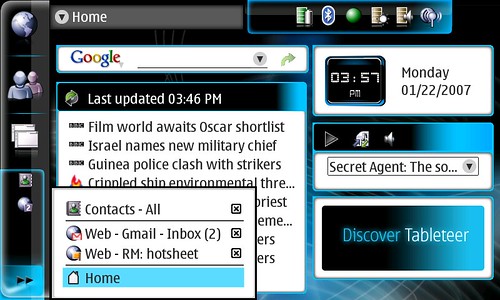
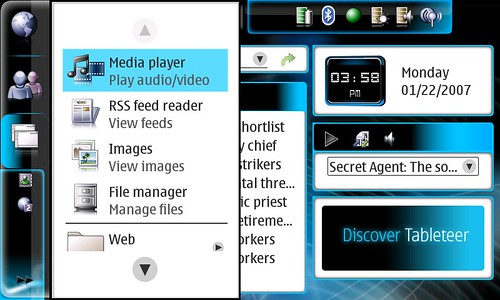
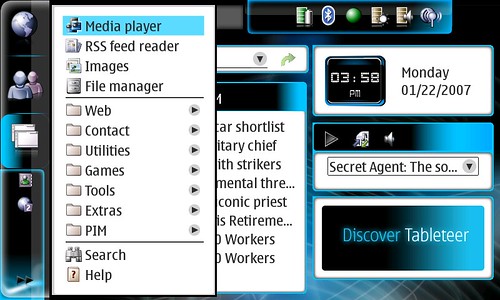
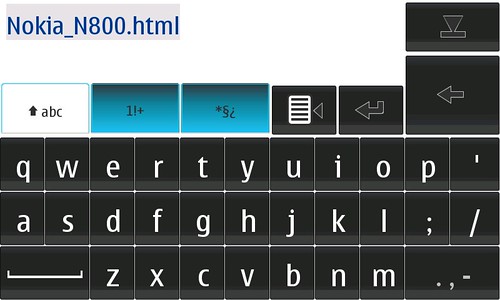
If I have time, I’ll do a video walk-through, but for now here are some screen captures I took today – comparing mainly the finger vs, stylus taps in a few situations… enjoy!

Finger tap on >>
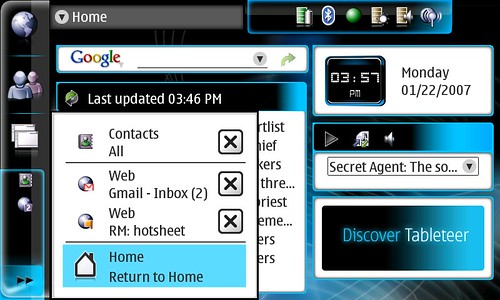
Finger tapped >>

Styus tap on >> 

Stylus tapped >>
Finger tap on Apps menu:
Finger tapped Apps menu

Stylus tap on Apps menu: 

Stylus tapped Apps menu

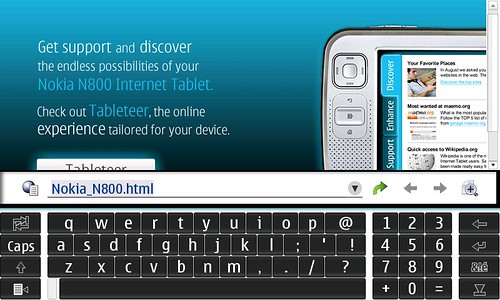
Finger tap on Opera address bar:
Finger Keyboard...

Stylus tap on Opera address bar: 

Stylus tapped Opera address bar to enter a new URL

Technorati Tags: , , , , , , , ,

N800 in hand!


N800 in hand!, originally uploaded by atmasphere.

I just arrived home with my new Nokia N800…paired with my Nokia N73 and online within about two minutes. My home wireless network is just out of range as I am just sitting in the car outside while Hannah sleeps — it’s too cold to let her sit in the car off and we did not want risk a stroller transfer.

If you have kids, I’m sure you can understand…

In the first few moments I am VERY pleased with this upgrade. The N800 has a better build quality than the 770 and feels great in my hand. I like the included camera for video chat among other enhancements like better memory management and peppier processor.

More to follow…

Apple Lisa


Apple Lisa, originally uploaded by atmasphere.

On this day… January 1983

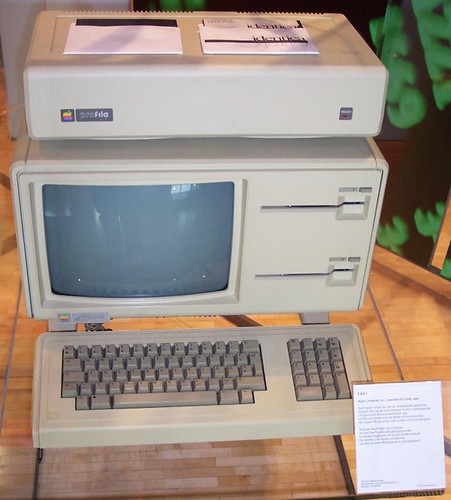
Apple Computer introduced the Apple Lisa (pictured), their first commercial personal computer with a graphical user interface and a computer mouse. It had 1 MB of RAM, and was priced at US $9,995. (Hat Tip – Uncle Brian!)

Technorati Tags: ,

Is my Nokia 770 down for the count?

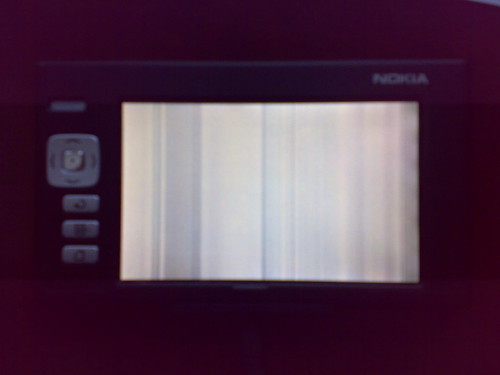
I was just attempting to kill my Gmail account which had downloaded many hundreds of messages through POP filling the 770’s memory and …

Not Good!

This is so not good. I am not even sure how to try fixing it as there’s nothing to look at other than a nasty stripped screen. This sucks. I love this device and use it quite a few times each day – including a great deal of reading at night.

Anyone have a fix or suggested fix for something like this??? I know the N800 is out now and yeah it looks sweet, but this was not exactly something I was looking to buy at the moment as much as I would of course like to have it.

Update — I realized this afternoon that I actually purchased the protection plan from CompUSA – something I almost never do with gadgets. I believe I am entitled to a fresh new one or I might be able to upgrade to the N800 for the difference in cost, which is 50 bucks! I’ll be heading to CompUSA tomorrow…

Technorati Tags: , , , , ,

What makes Twitter fun…

Getting posts from Darth Vader and Luke Skywalker like this…

Got caught by the Death Star and had to beat up some Stormtroopers. This stormtrooper uniform really doesn’t help with my constant chafing. [Luke Skywalker]

Katonah in the Snow


Katonah, originally uploaded by atmasphere.

It’s finally Winter here… Snow makes all the difference. While not a lot, it feels more like the winter wonderland we’ve all come to expect rather than the temperate climate we’ve had to date this season.

Technorati Tags: , ,

Airport Disk – Easy Home “NAS”

Just browsing the Apple store and reading about the new AirPort Extreme Base Station… One very cool new feature is Airport Disk:

Share your hard drive

Now you can share an external USB hard drive over your wireless and wired network by simply connecting it to the USB port on your AirPort Extreme Base Station. Called AirPort Disk, it’s perfect for sharing files, making backups, and more. You can even connect multiple drives and printers using a USB hub (sold separately). [Apple Store]

There are also 3 ethernet jacks so you can use it as a more robust router if you want, though Gigabit would have been even better! I love the idea of attaching a disk or two right on the network… not true NAS, but considerably less expensive and it would be attached for anyone around to share. While this is certainly not unique to Apple, it’s good to have on board and I am sure was considered as an easy way for people to expand shared storage with an Apple TV in the house…

Technorati Tags: , , , , ,

Music Service Roaming

Fred notes a problem and recommends a solution for sharing music regardless of how you choose to listen…

Some people use Napster. Some use Rhapsody. Some use Yahoo Music. I think these services should get together and let their users “roam” onto other networks. Let’s say my brother uses Napster and he wants to send me a link to a song by Gomez. He sends me a Napster link and I can’t listen. But I should be able to do that. Either translate that link to a Rhapsody link or let me log into Napster using my Rhapsody account. [A VC:]

I think it would be easiest to match this up with the Plays For Sure stores initially, but if I was Real, I’d want to get Rhapsody connected in this way as well. I thought one of the services actually offered a streaming option via the browser which would certainly work for emailed links… I have no experience here as none of the subscription music services support Mac or iPod in any way thanks to Windows only DRM.

Technorati Tags: , , , , , ,